

The Real Challenge: Landing Pages That Generate Leads
If you invest in digital marketing, you know how frustrating it can be: traffic reaches the page, but no one fills out the form. Or worse: they do, but with fake information.
The problem is not a lack of traffic. It’s the lack of a professional and strategic page that convinces people to share their data.
In this article, we will break down exactly how to create a professional landing page that not only attracts visitors but converts them into qualified leads.
The Gold Standard
Professional landing pages convert between 5–10% of visitors into leads. This means that for every 100 people who arrive on the page, you capture 5 to 10 qualified contacts. And if you invest in paid traffic? The math turns into profit.
Step 1: Define Your Strategy Before Designing
Here is the most common mistake: designers and developers begin working without knowing the real objective. The result? A beautiful page that sells nothing.
Before any design work, answer these questions:
Who is your target audience?
Not "companies in general." Be specific: "CEOs of technology companies with 50–500 employees who are facing problem X." The more specific, the better your page will be.
What problem do you solve?
Not "we offer consulting." Instead: "we increase landing page conversion rates by 40% in 90 days." Specificity builds trust.
What is the main promise?
This will become your headline. It should solve the problem identified above. Examples: "Generate 500 qualified leads per month" or "Sell more without increasing your advertising budget."
What is your differentiator?
Why should the visitor choose you instead of a competitor? Is it experience? Methodology? Results? Define it now, because your copy will revolve around it.
What type of lead do you want?
Any visitor, or qualified prospects? You can create filters on the landing page (form questions for qualification) to ensure only high-quality prospects enter your funnel.
Step 2: Content Structure (What You Need to Say)
Your landing page does not need to be long. But each section has a specific purpose. Here is the proven structure:
Section 1: Headlines + Subheadlines (Top of the Page)
Objective: Capture attention in 3 seconds.
Effective formula: [SPECIFIC RESULT] in [TIME], even if you [COMMON OBJECTION].
Section 2: Hook/Hero Image (Visual Impact)
A high-quality image or video reinforcing your headline. It must be professional and relevant (not generic stock photos).
Section 3: The Problem (Emotional Validation)
Here you validate the visitor by saying: "I understand your problem." Describe the symptoms of the problem, not the solution.
Example: "You invest in paid traffic, but most visitors leave the page without leaving contact information. You don’t know where the funnel is leaking. And every month, more budget is spent on visitors who never convert into customers."
Section 4: The Solution (Persuasive Copy)
Now you present how you solve the problem. Not with technical features, but with tangible benefits.
Critical difference:
- ❌ Feature: "A/B optimization system"
- ✓ Benefit: "Increase your conversion rate by 3x by making simple changes in design and copy"
Section 5: Social Proof (Credibility)
Testimonials, case studies, numbers. The more specific, the better.
Strong examples:
- "500+ companies use our system"
- "Average 45% conversion increase (results within 90 days for clients who implemented all recommendations)"
- Testimonial: "We went from 50 to 150 leads/month in 4 months" - João Silva, CEO Tech Solutions
Section 6: Call-to-Action + Form (The Conversion)
Your CTA must be clear: "Get Free Analysis", "Get Access", "Start Free Trial". The form should be short: 3–5 fields maximum.
"The biggest objection visitors have isn’t 'I don’t need this.' It’s 'are my data safe?' Remove this objection visually with trust badges."
— Neil Patel
Section 7: FAQ (Remove Final Objections)
Questions visitors ask before converting:
- "How much does it cost?"
- "Does it work for my specific industry?"
- "How long before I see results?"
- "Do I need to sign a contract?"
Step 3: Design That Converts (Not Just Impresses)
Professional design does not mean complex design. It means:
1. Clear Visual Hierarchy
Larger headlines, medium subheadlines, smaller body text. Visitors should understand within seconds what the most important information is.
2. Strategic Colors
Your CTA should be a different color from the rest of the page (usually warm colors like orange or red). It must stand out.
3. Spacing (Whitespace)
Crowded pages are tiring. Give the design room to breathe. This also improves readability.
4. Mobile Responsiveness
More than 60% of traffic in 2026 comes from mobile. Your page MUST work perfectly on smartphones. It is not optional.
5. High-Quality Images and Videos
Generic stock photos destroy credibility. Invest in:
- Professional photos (you, your team, your product)
- Short videos showing results
- Custom graphics (not templates)
Step 4: Persuasive Copy (The Voice of the Page)
Your copy is what makes the page work. Beautiful design without persuasive copy = a page that doesn’t convert.
Golden Copy Rules
Be Specific, Not Vague
❌ "Improve your results" ✓ "Increase your sales by 40% in 90 days"
Use Data and Numbers
Numbers are more convincing than adjectives. "5x faster" is better than "much faster."
Remove Objections Proactively
If your product is expensive, say "The investment pays for itself in 2 months." If it’s new, say "Already implemented by 500+ companies." Anticipate doubts.
Use the Visitor’s Language, Not Yours
If your audience is non-technical, avoid jargon. Speak as if you were talking to a friend.
Create Urgency (Honestly)
"Limited spots", "Offer ends in 48h", "Only for the first 100 subscribers." It works, but it must be real.
Step 5: Technical Optimization (Speed and Performance)
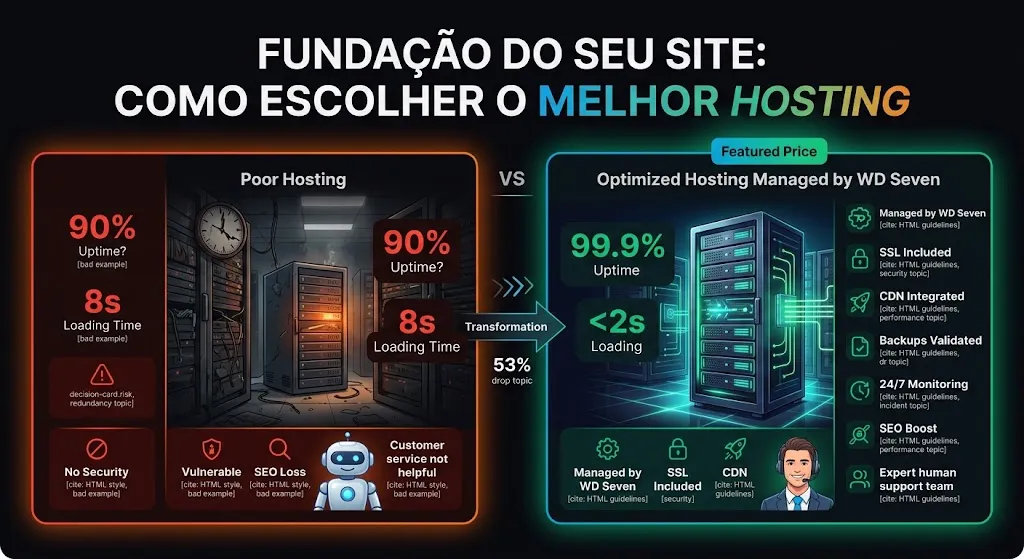
If your page takes more than 3 seconds to load, you lose 40% of visitors.
Performance checklist:
- Compressed images (80% of speed issues)
- Quality hosting with CDN
- Minimized scripts loaded asynchronously
- Lazy loading for images below the fold
- Reduce third-party scripts (pixels, analytics)
- Google PageSpeed Score above 80 on desktop, 50 on mobile
Step 6: Strategic Form
Your form is where conversion happens. The rule here is: the fewer fields, the higher the conversion rate.
Recommended Formula: 3–5 Fields
- Required: Name, Email, Phone (optional depending on the industry)
- Qualification (1–2 fields): Company, Industry, Company Size, Budget
Critical Test
Test a form with 3 fields vs 5 fields. The difference can be 20–30% in conversion. Use this test to calibrate.
Step 7: A/B Testing (Continuous Optimization)
A landing page is never "finished." It evolves through testing.
What to Test (In Order of Impact)
- Headlines (highest impact) - Test 3–5 variations
- CTA Text ("Get Access" vs "Start Now" vs "Receive Free Analysis")
- CTA Colors (orange vs red vs green)
- Form Size (3 vs 5 fields)
- Images/Videos (with vs without social proof)
- Copy (shorter vs more detailed)
Practical rule: Let each test run until 100 conversions per variant. Test one variable at a time.
7 Mistakes That Destroy Landing Pages
❌ Mistake 1: Too Much Internal Navigation
Links to "About Us", "Blog", "Contact". Remove them. A landing page has one goal: lead visitors to the form. Everything else is an exit.
❌ Mistake 2: Lack of Congruence Between Ad and Page
If your ad says "Free System to Generate Leads", the page must echo that exactly in the headline. Visitors who arrive confused leave immediately.
❌ Mistake 3: Overly Corporate Copy
"We use cross-channel optimization methodology" scares people. Say: "We increase your sales." Simplicity wins in marketing.
❌ Mistake 4: Form Asking for CPF/Personal Data
Nobody shares CPF with strangers. You can collect it later during the sales funnel. For now, capture name and email.
❌ Mistake 5: Weak Guarantees or No Guarantee
"Satisfaction guaranteed" is vague. "30-day refund, no questions asked" is strong. Remove risk for the visitor.
❌ Mistake 6: Slow Page
Every second of delay = 7% drop in conversion. Always optimize. Test with Google PageSpeed.
❌ Mistake 7: Lack of Follow-up
Someone fills the form and disappears? Email automation is critical. Set up a sequence of 5–7 emails to nurture the lead.
WD Seven Services for Professional Landing Pages
At WD Seven, we create landing pages that generate qualified leads. Each page is developed with a clear strategy, professional design, and persuasive copy:
Professional Landing Page Design
Strategic layouts, responsive design, professional imagery, and visual hierarchy that guides visitors directly to the form.
Explore servicePersuasive Copywriting
Copy that removes objections, creates urgency, and convinces visitors to fill out the form. Every word has strategic purpose.
Explore serviceA/B Testing and Optimization
Systematic testing of headlines, CTAs, colors, and forms. Every test generates data that increases your conversion rate.
Explore serviceSpeed Optimization
Landing pages that load in under 2 seconds. Image compression, CDN, code optimization, and PageSpeed score 80+.
Explore serviceForm Integrations and Automation
Connect your form with CRM, email marketing, Google Ads, and Facebook Pixel. Full setup for tracking and automation.
Explore serviceAnalysis and Continuous Mentorship
Performance reports, identification of optimization opportunities, and mentorship to keep your page generating leads.
Explore serviceComplete Checklist: Landing Page Ready to Capture Leads
Strategy
☐ Well-defined target audience ☐ Identified problem ☐ Clear main promise ☐ Defined differentiator ☐ Desired lead type
Content
☐ Attention-grabbing headlines ☐ Problem validated ☐ Solution presented with benefits ☐ Social proof included ☐ FAQ answering objections ☐ Clear CTA visible in multiple places
Design
☐ Clear visual hierarchy ☐ Strategic colors (different CTA) ☐ Proper spacing ☐ 100% responsive (mobile + desktop) ☐ Professional images/videos ☐ No unnecessary internal navigation
Performance
☐ Load time <2s ☐ PageSpeed Score desktop >80 ☐ PageSpeed Score mobile >50 ☐ Compressed images ☐ Optimized scripts ☐ No elements harming speed
Form
☐ Maximum 3–5 fields ☐ Required fields: Name, Email ☐ 1–2 qualification fields ☐ Clear CTA button ☐ Success message after submission ☐ Email validation configured
Integrations
☐ CRM connected (Pipedrive, HubSpot, etc.) ☐ Email marketing setup (follow-up automation) ☐ Google Analytics 4 active ☐ Conversion tracking configured ☐ Facebook Pixel installed (if paid traffic)
Conclusion: The Lead Journey Begins on the Landing Page
A professional landing page is not a luxury—it’s a necessity. It is the difference between capturing qualified leads and wasting traffic.
When you implement the 7 steps in this guide—clear strategy, structured content, professional design, persuasive copy, technical optimization, strategic forms, and continuous testing— you’re not just building a page. You’re building a lead generation machine.
And the best part? A well-built landing page works 24/7. While you sleep, it captures leads. While you work, it generates qualified contacts. While your competitors sleep, you grow.
"The quality of your leads determines the quality of your future."
— Brian Tracy
Next Steps Today
Step 1: Choose your specific target audience.
Step 2: Identify a problem you solve.
Step 3: Create a clear promise (your headline).
Step 4: Start with an MVP (minimum viable page).
Step 5: Test, measure, optimize.