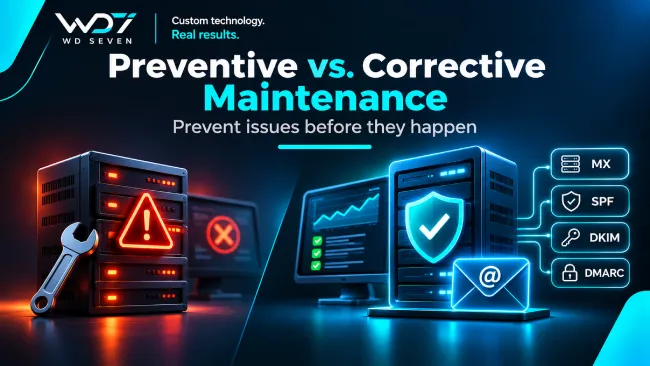


Preventive and corrective: what's the difference
Corrective maintenance happens after a failure: the system went down, email stopped working, the website is offline — and someone rushes to fix it. Preventive maintenance happens beforehand: correct configuration from the start, periodic reviews, updates, and monitoring so the failure never occurs in the first place.
| Criterion | Corrective | Preventive |
|---|---|---|
| Timing | After the problem | Before the problem |
| Cost | Unpredictable, usually higher | Planned and spread out |
| Customer impact | High: they notice the failure | Low or none |
| Downtime | Hours or days | Minimal and scheduled |
| When it makes sense | Unexpected issues and non-critical items | Anything critical to the business |
So, which is better?
For critical systems, preventive wins by a wide margin. But corrective maintenance never goes away: the ideal is to prevent as much as possible and have a fast process to fix whatever slips through.
Professional email: prevention in practice
Few examples illustrate this difference as well as email on your own domain, such as comercial@suaempresa.com.br. Set up in a hurry, it "works" — until your proposals start landing in spam or scammers send messages in your brand's name. That's when corrective maintenance kicks in, always at a bad time.
Below is the complete step-by-step process, done the preventive way: each step eliminates a common cause of future problems.
Choosing an email service
The first step is deciding where your mailboxes will live. The three most common options:
| Criterion | Productivity suites | Hosting email | Specialized providers |
|---|---|---|---|
| Examples | Google Workspace, Microsoft 365 | Email included with cPanel, Plesk, and similar | Zoho Mail, Proton, and others |
| Cost | Per user/month | Usually included | Varies, generally mid-range |
| Features | Calendar, drive, and meetings | Limited to the plan | Good, email-focused |
| Anti-spam and security | Very robust | Depends on the server | Generally robust |
| Risk of blocking caused by others | Low | Higher on shared servers | Low |
| Best for | Highly collaborative teams | Few accounts and light use | Reliable email without a full suite |
General assessment. Features, limits, and prices change frequently; check each service's current terms.
Choosing well here is already preventive: an undersized service turns, months later, into a rushed corrective migration.
Before you start
- A domain registered in the company's name (for .com.br domains, at Registro.br), not in the name of a former vendor or former employee.
- Access to the active DNS panel, which may be at the registrar, the hosting provider, or services such as Cloudflare. It is identified by the domain's DNS servers (nameservers).
- A list of the accounts to be created and who will use each one.
- A migration plan, if you already have email elsewhere.
- A copy of the current DNS records, so you can roll back if needed.
nslookup -type=NS suaempresa.com.br

# Example responses:
# nameserver = a.sec.dns.br          → DNS at Registro.br
# nameserver = ana.ns.cloudflare.com → DNS at Cloudflare
All changes in this guide must be made in the panel indicated by the nameservers. Changing records anywhere else will have no effect at all.
Verifying the domain and creating accounts
Once you sign up, the service will ask you to add and verify your domain. Verification proves you own it and is usually done with a temporary TXT (or CNAME) record containing a code provided by the service itself.
👤 Personal accounts
Adopt a single naming pattern, such as firstname.lastname@ or firstname@.
🏷️ Aliases and groups
contato@ and financeiro@ can be aliases or groups that deliver to several people, at no extra account cost.
🔑 Passwords and 2FA
Require strong passwords and enable two-step verification. A compromised mailbox is a gateway for scams.
📮 Technical addresses
Set aside accounts such as postmaster@ and a mailbox for DMARC reports.
Understanding email DNS
DNS works like the internet's phone book: it translates names into addresses and stores information about the domain. For email, it answers two questions: where to deliver incoming messages and how to tell whether an outgoing message is legitimate.
TTL is the time, in seconds, that other servers keep the information before checking again. Propagation is the time until everyone sees the change — from minutes to a few hours and, rarely, up to 48 hours.
Don't touch what belongs to the website
The website's A, AAAA, and CNAME records don't need to change to set up email. Changing them unnecessarily can take your site down — the classic preventive issue that turns corrective.
Configuring MX, SPF, DKIM, and DMARC
The values below are illustrative
Each service provides its own servers, priorities, selectors, and keys, usually on screens like "DNS settings" or "Domain authentication." Field names also vary: "Name," "Host," or "Entry" usually mean the same thing. Always use your provider's data.
1. MX: where emails arrive
The MX record indicates the server that receives the domain's messages. The priority sets the order: the lowest number is tried first; the others act as backups.
# Type  Name  Priority  Value                       TTL
MX    @     10          mx1.provedor-exemplo.com    3600
MX    @     20          mx2.provedor-exemplo.com    3600
- @ represents the domain itself; some panels ask for an empty field or the full domain instead.
- Remove old MX records: mixing records sends some emails to one place and some to another.
- The MX value must be a server name, never an IP address.
2. SPF: who can send on behalf of the domain
SPF is a TXT record listing the servers authorized to send email from your domain. If your website, a system, or an email marketing tool also sends messages, all of them must be in the same record.
TXT  @  "v=spf1 include:_spf.provedor-exemplo.com ~all"

# Provider + marketing tool:
TXT  @  "v=spf1 include:_spf.provedor-exemplo.com include:spf.marketing-exemplo.com ~all"
- ~all flags anyone not on the list as suspicious; -all recommends rejection. Start with ~all.
- Only one SPF record per domain. Two v=spf1 records invalidate both.
- Limit of 10 DNS lookups: too many include entries can exceed it.
3. DKIM: the digital signature on your messages
DKIM adds a cryptographic signature to every email. The receiving server uses a public key published in your DNS to confirm the message really came from your domain and wasn't altered. Generate the key in the service's panel, publish it in DNS, and then enable signing in the panel — a step that's often forgotten.
TXT    seletor1._domainkey  "v=DKIM1; k=rsa; p=MIIBIjANBgkqhkiG9w0BAQEFAAOCAQ8A..."

CNAME  seletor1._domainkey  seletor1.dkim.provedor-exemplo.com
The selector is a name that identifies the key and lets you have several at once, one for each service that sends email.
4. DMARC: the policy for failures
DMARC brings SPF and DKIM together and tells servers what to do when a message fails verification. It also sends reports on who is using your domain — including fraud attempts. By nature, it's a preventive tool.
# Phase 1 — monitor only (2 to 4 weeks)
TXT  _dmarc  "v=DMARC1; p=none; rua=mailto:dmarc@suaempresa.com.br"

# Phase 2 — send failures to spam
TXT  _dmarc  "v=DMARC1; p=quarantine; rua=mailto:dmarc@suaempresa.com.br"

# Phase 3 — reject failures
TXT  _dmarc  "v=DMARC1; p=reject; rua=mailto:dmarc@suaempresa.com.br"
Move to the next phase only after analyzing the reports and confirming that SPF or DKIM is aligned with the sender's domain for all legitimate mail.
Record summary
| Record | Type | Name | Purpose |
|---|---|---|---|
| MX | MX | @ | Points to the receiving server |
| SPF | TXT | @ | Lists who can send |
| DKIM | TXT or CNAME | seletor._domainkey | Publishes the signing key |
| DMARC | TXT | _dmarc | Sets policy and reporting |
| Verification | TXT or CNAME | Specified by the provider | Proves ownership |
Accessing email on desktop and mobile
Besides webmail, you can use Outlook, Gmail, Apple Mail, or Thunderbird. Choose IMAP, which keeps messages in sync across all devices; POP3 downloads to a single device and is rarely recommended today. Sending uses authenticated SMTP.
IMAP  imap.provedor-exemplo.com  port 993  SSL/TLS
POP3  pop.provedor-exemplo.com   port 995  SSL/TLS
SMTP  smtp.provedor-exemplo.com  port 465  SSL/TLS  or  587 STARTTLS

Username: full address (e.g., maria@suaempresa.com.br)
With two-step verification enabled, some apps require an app password, generated in the service's panel.
How to test
1. Check the published records
nslookup -type=MX  suaempresa.com.br
nslookup -type=TXT suaempresa.com.br                       # SPF
nslookup -type=TXT seletor1._domainkey.suaempresa.com.br   # DKIM
nslookup -type=TXT _dmarc.suaempresa.com.br                # DMARC
dig MX suaempresa.com.br +short                            # Linux/macOS
2. Send, receive, and read the header
Exchange messages with an external account in both directions. In Gmail, open the received email and click "Show original":
dkim=pass   header.d=suaempresa.com.br
spf=pass    smtp.mailfrom=maria@suaempresa.com.br
dmarc=pass  header.from=suaempresa.com.br

# Warning signs:
spf=softfail  → server not in SPF
dkim=none      → signing not enabled
dmarc=fail     → no alignment
3. Use diagnostic tools
DNS checkers and spam testers flag missing records, duplicate SPF, DKIM failures, and blocklist listings. Test again after every change.
Common problems: corrective maintenance
These are the support tickets that show up most often when setup wasn't done preventively — and how to resolve them.
📭 Emails stopped arriving after the switch
An old MX record is still published, or the change was made in the wrong DNS panel. Check the nameservers, remove old MX records, and wait for the TTL.
Incorrect MX or DNSnslookup🗑️ Sent messages land in spam
SPF missing, DKIM not enabled, or DMARC without alignment. Content with many links or only images also hurts.
Incomplete authenticationRead the header🧾 Website form doesn't send
The site uses the server's native mail function, outside SPF and without DKIM. Configure sending via authenticated SMTP or a transactional service included in SPF.
Unauthenticated sendingAuthenticated SMTP⚔️ Two SPF records
When adding a tool, someone creates another v=spf1 record and both stop working. Merge them into a single record.
Duplicate SPFOne record☁️ Cloudflare proxy on email subdomains
Subdomains such as mail. stop working with the orange cloud enabled. Use "DNS only."
Proxy enabledDNS only✂️ Truncated DKIM key
Long keys can get cut off when pasted or may need to be split into chunks of up to 255 characters. Compare against the original value.
Incomplete valueDouble-check🔁 Forwarded emails fail SPF
The intermediate server isn't in the sender's SPF. DKIM survives forwarding and keeps DMARC passing.
SPF limitationDKIM solves itA preventive routine for email
Setup is just the beginning. Preventive maintenance is what keeps everything running as the months go by:
📊 Monthly
Review DMARC reports and check blocklists.
🔄 With every change
New sending tool? Update SPF and set up its DKIM.
👥 Quarterly
Review accounts, deactivate former employees, and check 2FA.
🚩 Signs you're stuck in corrective mode
Emails frequently landing in spam, nobody knows where the DNS is, forms that fail, and suspected scams using your brand.
✅ What preventive maintenance delivers
An authenticated domain, lossless migrations, documented access, and problems solved before they reach the customer.
WD Seven works on exactly these points: it guides the choice of service based on company size, configures DNS with full authentication, migrates messages without interrupting communication, integrates forms with authenticated sending, and provides ongoing monitoring.
Tired of putting out fires?
With Maintenance & Support and Cloud & DevOps, WD Seven turns urgent fixes into a preventive routine.
Frequently asked questions
No. It greatly reduces how often failures happen and how much damage they cause, but unexpected issues still occur. The ideal approach combines ongoing prevention with the ability to respond quickly.
Anywhere from a few minutes to a few hours and, rarely, up to 48 hours. Lowering the TTL a few days before a migration speeds up the switch.
Not if the migration is planned: import via IMAP before changing the MX record and run a final sync afterward.
Technically no, but in practice yes. Major providers such as Gmail, Yahoo, and Outlook already require these records from higher-volume senders, and without them the chance of landing in spam rises sharply.
Yes. Virtually every service works with these apps, either via IMAP/SMTP or through the provider's own app.
Conclusion and checklist
Between preventive and corrective, the answer is clear for anything critical: prevention costs less and protects the company's reputation. Professional email proves it — every properly configured record is a problem that will never reach your customer.
Choose the email service
Consider users, storage, security, and budget.
Locate the active DNS
Check the nameservers and save the current records.
Verify the domain and create accounts
Address pattern, aliases, strong passwords, and 2FA.
Migrate old messages
Via IMAP, before changing the MX record.
Configure MX
Use your provider's values and remove the old ones.
Publish a single SPF record
Include every service that sends, starting with ~all.
Publish and enable DKIM
Record in DNS and signing turned on in the panel.
Create DMARC with p=none
Move to quarantine and reject after analyzing the reports.
Test sending, receiving, and headers
Confirm spf=pass, dkim=pass, and dmarc=pass.
Keep up the preventive routine
Authenticated SMTP on the website, monthly reports, and periodic account reviews.