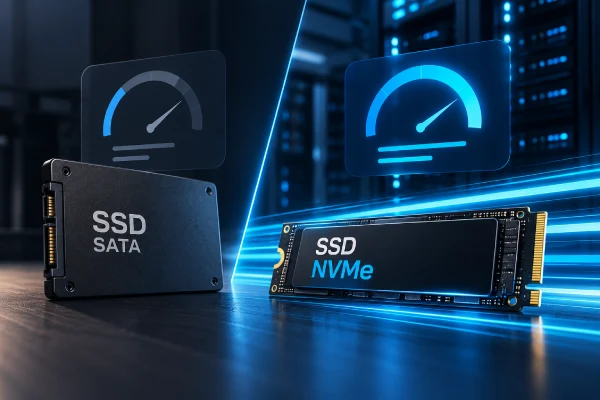


The difference explained with an analogy
Both SATA and NVMe SSDs use flash memory, the same type of chip. The difference isn't where the data is stored, but the path it travels to reach the processor.
A Ferrari on a dirt road
The car (flash memory) is fast, but the road (SATA interface) was built for mechanical HDDs. It has a single lane and a toll booth in the middle (the AHCI controller).
The same Ferrari on a private highway
NVMe connects directly to the processor's PCIe bus: multiple lanes, no tolls and thousands of cars moving at the same time.
In one sentence
A SATA SSD is a modern drive stuck with old technology. NVMe was built from scratch for flash memory.
The interface bottleneck: SATA vs PCIe
The SATA III standard transmits at most 6 Gb/s. After encoding overhead, that leaves about 550–600 MB/s of usable bandwidth. No matter how fast the memory chip is, a SATA SSD can never exceed that ceiling.
NVMe uses PCIe lanes, the same ones used by graphics cards. A typical NVMe SSD uses 4 lanes (x4), and each PCIe generation doubles the speed:
PCIe 3.0 x4
~3,500 MB/s. About 6x faster than SATA. Today's minimum standard for NVMe hosting.
PCIe 4.0 x4
~7,000 MB/s. The most common in modern servers, with excellent cost-benefit.
PCIe 5.0 x4
~14,000 MB/s. Used for heavy workloads like large databases, AI and data analytics.
The protocol: AHCI vs NVMe
Maximum speed is only half the story. The other half is how commands are organized. SATA uses the AHCI protocol, created in 2004 for mechanical disks, which can only read one spot on the platter at a time.
🟧 AHCI (SATA)
1 queue × 32 commands
Every request waits in the same line.
⚡ NVMe
up to 65,535 queues × 65,536 commands
+ thousands of parallel queues, one per CPU core.
On a web server, this makes a huge difference. Picture 200 visitors browsing your store at once: each one triggers dozens of file reads, sessions and database queries. With AHCI, everything goes into a single queue. With NVMe, each processor core has its own queue and works in parallel.
Lower CPU usage
NVMe needs far fewer instructions per operation. That leaves more processing power to run your site.
Real parallelism
Many simultaneous accesses without blocking each other — exactly how a server is used.
The metrics that matter: MB/s, IOPS and latency
Many hosting providers only advertise speed in MB/s. For websites and systems, however, other metrics matter more:
Throughput (MB/s)
Speed for large files: backups, videos, restoring dumps.
IOPS
Operations per second on small blocks (4 KB). This is what MySQL and PostgreSQL databases use constantly.
Latency
Response time per operation. Added up hundreds of times, it defines your site's TTFB.
Watch out for marketing
"SSD hosting" almost always means SATA SSD. If the plan doesn't clearly say NVMe, it probably isn't. And even NVMe can be artificially throttled by the provider.
Full technical comparison
| Feature | HDD | SATA SSD | NVMe SSD (PCIe 4.0) |
|---|---|---|---|
| Interface | SATA | SATA III (6 Gb/s) | PCIe 4.0 x4 (~64 Gb/s) |
| Protocol | AHCI | AHCI | NVMe |
| Sequential read | ~160 MB/s | ~550 MB/s | ~7,000 MB/s |
| 4K random read IOPS | ~100–200 | ~90,000 | ~1,000,000 |
| Typical latency | ~5–10 ms | ~100 µs | ~10–20 µs |
| Command queues | 1 × 32 | 1 × 32 | 65,535 × 65,536 |
| CPU usage per operation | Medium | Medium | Low |
Typical reference values. They vary by model, workload and server configuration.
Calculator: how long each disk takes
Pick a common server task and see the estimated time on each disk type.
Theoretical calculation based on the typical values in the table. Does not account for caching, compression or provider limits.
Practical hosting examples
🛒 WooCommerce store with 15,000 products
Each category page runs dozens of MySQL queries with filters, stock and prices. On a SATA SSD under load, random reads pile up in the queue and TTFB climbs. On NVMe, the same queries run in parallel.
⚙️ ERP with monthly reports
Month-end reports scan millions of records. What used to lock up the team for several minutes now runs in seconds, without affecting anyone else using the system at the same time.
💾 Backup restore after an incident
When you need to bring your site back online, every minute is expensive. Restoring 80 GB takes about 2.5 minutes of pure read time on SATA and about 12 seconds on NVMe.
Illustrative scenarios based on common gains observed in migrations. Results vary by application.
Example: the same SELECT on both disks
When data isn't cached in memory, the database has to go to disk. Here's a simplified
slow query log example before and after a migration:
# SATA SSD
# Query_time: 2.184  Lock_time: 0.000  Rows_examined: 1840233
SELECT p.id, p.name, s.qty FROM products p
  JOIN stock s ON s.product_id = p.id
  WHERE p.category_id = 42 AND s.qty > 0;

# NVMe SSD (same query, same server, no cache)
# Query_time: 0.312  Lock_time: 0.000  Rows_examined: 1840233
The faster disk helped, but notice: the query still examines 1.8 million rows. A proper index would cut that down to a few hundred. This is the kind of tuning a specialized team does alongside the hardware upgrade.
CREATE INDEX idx_products_category ON products (category_id);
CREATE INDEX idx_stock_product_qty ON stock (product_id, qty);
-- Result: Query_time 0.312 → 0.004 (NVMe + index)
How to test your server's disk
If you have SSH access to your VPS, you can find out in minutes which type of disk is in use and how much it actually delivers.
# NVMe drives show up as nvme0n1, nvme1n1...
lsblk -d -o NAME,ROTA,TRAN,SIZE,MODEL

# ROTA=1 → HDD | ROTA=0 + TRAN=sata → SATA SSD | nvme → NVMe
# Details (requires nvme-cli)
sudo nvme list
sudo apt install fio -y

fio --name=rand-read --filename=/tmp/fio.test --size=2G \
    --rw=randread --bs=4k --iodepth=64 --numjobs=4 \
    --ioengine=libaio --direct=1 --runtime=30 \
    --time_based --group_reporting

rm /tmp/fio.test

# Approximate reference results:
#  SATA SSD → read: IOPS=~85k,  BW=~330MiB/s
#  NVMe 4.0 → read: IOPS=~650k, BW=~2.5GiB/s
Test responsibly
Heavy benchmarks in production can slow your site down during the test. Run them off-peak or have a specialized team perform the analysis safely.
NVMe alone doesn't work miracles
Switching to NVMe is one of the most cost-effective infrastructure upgrades. But the full gain only appears when the entire environment is tuned to take advantage of the disk. Otherwise, the bottleneck just moves somewhere else.
⚠️ NVMe without management
- Database on default settings (small buffer, limited I/O)
- Unindexed queries remain slow
- No page or object caching
- Provider throttling IOPS without your knowledge
- Disk fills up and nobody notices until the site goes down
✅ NVMe with specialized management
- MySQL/PostgreSQL tuned for NVMe
- Slow queries analyzed and optimized
- Layered caching (Redis, OPcache, CDN)
- Monitoring of I/O, latency and disk health
- Fast, tested backups
[mysqld]
innodb_buffer_pool_size   = 4G      # ~60-70% of available RAM
innodb_io_capacity        = 10000   # default (200) was designed for HDDs
innodb_io_capacity_max    = 20000
innodb_flush_neighbors    = 0       # unnecessary on SSD/NVMe
innodb_read_io_threads    = 8
innodb_write_io_threads   = 8
innodb_flush_method       = O_DIRECT
Notice innodb_io_capacity: the default of 200 was designed for mechanical disks.
Many NVMe servers run with this value without anyone noticing, wasting much of the capacity the customer is
paying for.
This is where WD Seven comes in. Our team picks the right NVMe infrastructure for your project, migrates without taking your site offline, tunes the database and cache to squeeze out every IOPS and continuously monitors disk health. That way, your hardware investment becomes real speed for your customers.
Bottleneck diagnosis
We identify whether slowness comes from the disk, database, code or network before proposing any change.
Zero-downtime migration
A planned move from SATA to NVMe, with testing and DNS switching at the right moment.
Full tuning
Database, web server, PHP and cache configured for the hardware you actually have.
24/7 monitoring
Alerts for latency, disk usage and wear (SMART) before they become problems.
Want to know if your server is using its full potential?
With Cloud & DevOps and Maintenance & Support, WD Seven analyzes and optimizes your entire infrastructure.
Checklist before buying NVMe hosting
Does the plan clearly state "NVMe"?
Just "SSD" usually means SATA.
Are there IOPS or throughput limits?
Some providers cap the disk below its real capacity.
Will the database be tuned for the new disk?
Without tuning, much of the gain is lost.
Is disk health and space monitored?
A full or worn-out disk can take your site down without warning.
Who will handle the migration and follow-up?
A specialized team avoids downtime and guarantees results.
Frequently asked questions
Yes. SATA is capped at around 550 MB/s and a single command queue. A PCIe 4.0 NVMe exceeds 7,000 MB/s, has much lower latency and delivers about 10x more IOPS.
Especially for dynamic sites, online stores and database-driven systems. For static sites with good caching, the gain is smaller, but it still shows in backups and traffic spikes.
Not always. If the bottleneck is in the code, unindexed queries or a lack of caching, a fast disk helps little. WD Seven runs an assessment to find the real bottleneck before making any change.
Not because of the interface. Durability depends on the flash memory and the drive class (consumer or datacenter). For servers, the best practice is to use enterprise drives and monitor SMART indicators.
Conclusion
NVMe SSDs are faster for two reasons: they use the PCIe bus instead of limited SATA, and they use a protocol built for flash memory, with thousands of parallel queues and minimal latency. For websites, stores and systems, that means faster pages, a more responsive database and greater stability during peaks. The full gain, however, comes when the hardware is paired with professional configuration and monitoring.
Interface
PCIe removes SATA's ~550 MB/s ceiling.
Protocol
Thousands of parallel queues versus one.
Tuning
Without tuning, NVMe stays underused.
Experts
WD Seven turns hardware into results.